











 Back to M22-เครื่องพิมพ์ อิงค์เจ็ท (Inkjet Printer)
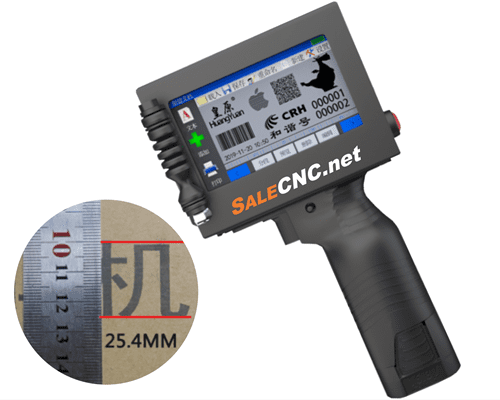
Industrial Spray Marking Label Machine
Date and Expiry Date Printer (Handheld Inkjet Printer)
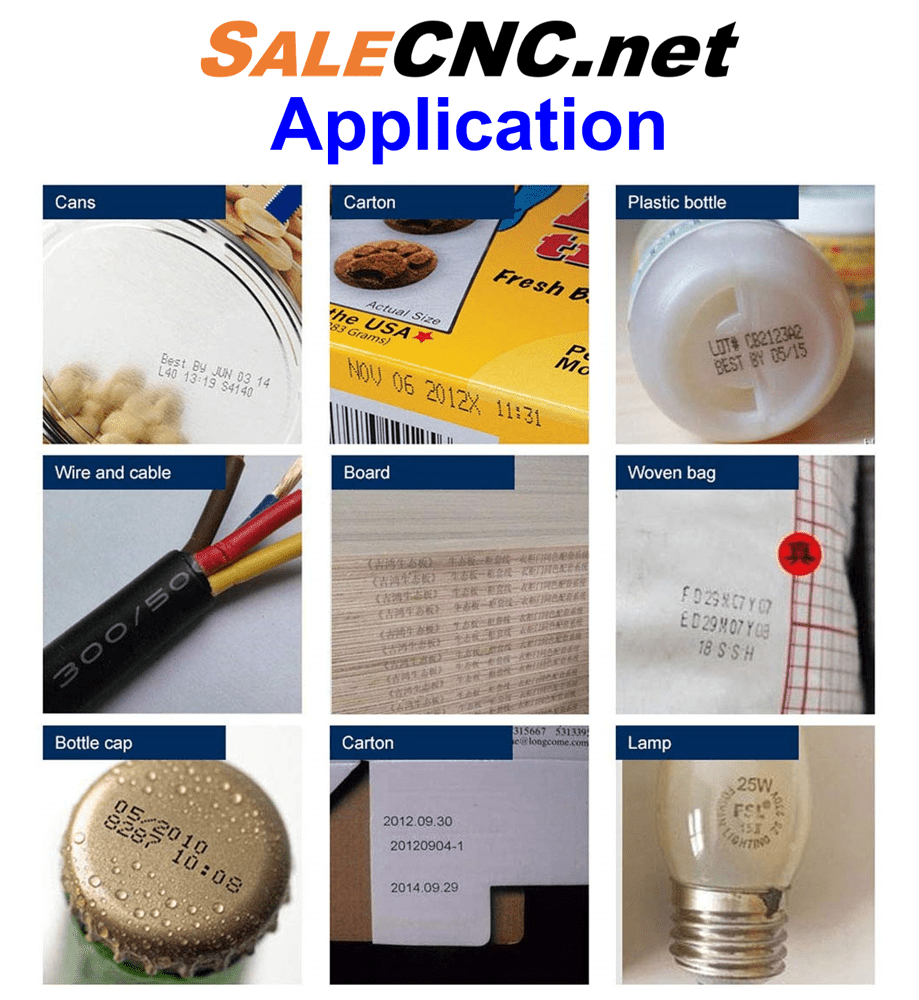
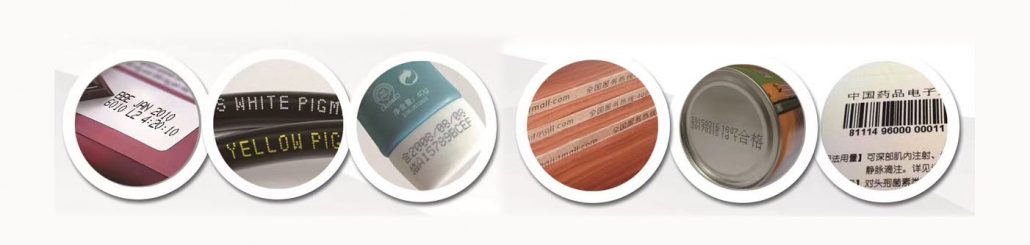
Suitable for printing on various materials such as wood, fruits, electrical wires, cans, plastics, metals, and more.
Operational Video
Property: Features of the Date and Expiry Date Printer
- High-quality Ink Cartridge.
- No need to connect to a computer for direct content editing.
- Easy and fast single-key code input.
- Can be integrated with an external photoelectric sensor for improved efficiency.
- Graphics can be imported via USB drive.
- Simple touchscreen operation.
- Suitable for printing on various materials such as wood, fruits, electrical wires, cans, plastics, metals, and more.
Property: Features of the Date and Expiry Date Printer
- High-quality Ink Cartridge.
- No need to connect to a computer for direct content editing.
- Easy and fast single-key code input.
- Can be integrated with an external photoelectric sensor for improved efficiency.
- Graphics can be imported via USB drive.
- Simple touchscreen operation.
Text printing on water bottles using the Date and Expiry Date Printer with Conveyor + Sensor system.
Text printing on steel and stainless steel boxes using the Date and Expiry Date Printer.
Using a positioning block for printing alignment with the Date and Expiry Date Printer.
Printing on curved transparent bottles; ink does not peel.
Conveyor + Sensor + Stand system for the Date and Expiry Date Printer.
Machine Specifications
| Model | Handheld Inkjet Printer G-552 |
|---|---|
| Ink Code | 2588+(G) for Handheld Inkjet Printer G-552 |
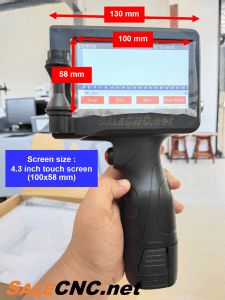
| Machine Size | 240x100x130mm |
| Weight | 522g (excluding ink cartridges) |
| Screen Size | 4.3 inch touch screen (100x58mm) |
| Information Storage | Unlimited storage |
| Segmentation Function | Unlimited |
| Printing Accuracy | 600DPI |
| Counter | 1-9 digits |
| Printable Barcodes | Barcode, QR code |
| External Interface | Charging interface, USB, photoelectric interface |
| Operating Environment | Temperature 0-40°C, humidity 10-80% |
| Water-based Ink Colors | Black, Red, Blue, Green, Yellow, Invisible |
| Quick-drying Ink Colors | Black, Red, Blue, Green, Yellow, White, Invisible |
| Cartridge Capacity | Universal standard cartridge capacity |
| Ink Properties | Dry, Oily, Water-based |
| Printing Font Library | Synchronizes with machine fonts |
| Printing Distance | 2-5mm |
| Printing Height | 25mm |
| Printing Speed | 50 m/min at 300DPI conditions |
| Print Content | Text (Chinese-English), Date, Number, Batch Number, Serial Number, Image, Barcode, QR code, etc. |
| Supported Languages | Chinese and English |
| Power Parameters | 16V2A power adapter with DC16.8V internal battery |
| Printable Barcodes | Barcode, QR code |
Machine Characteristics
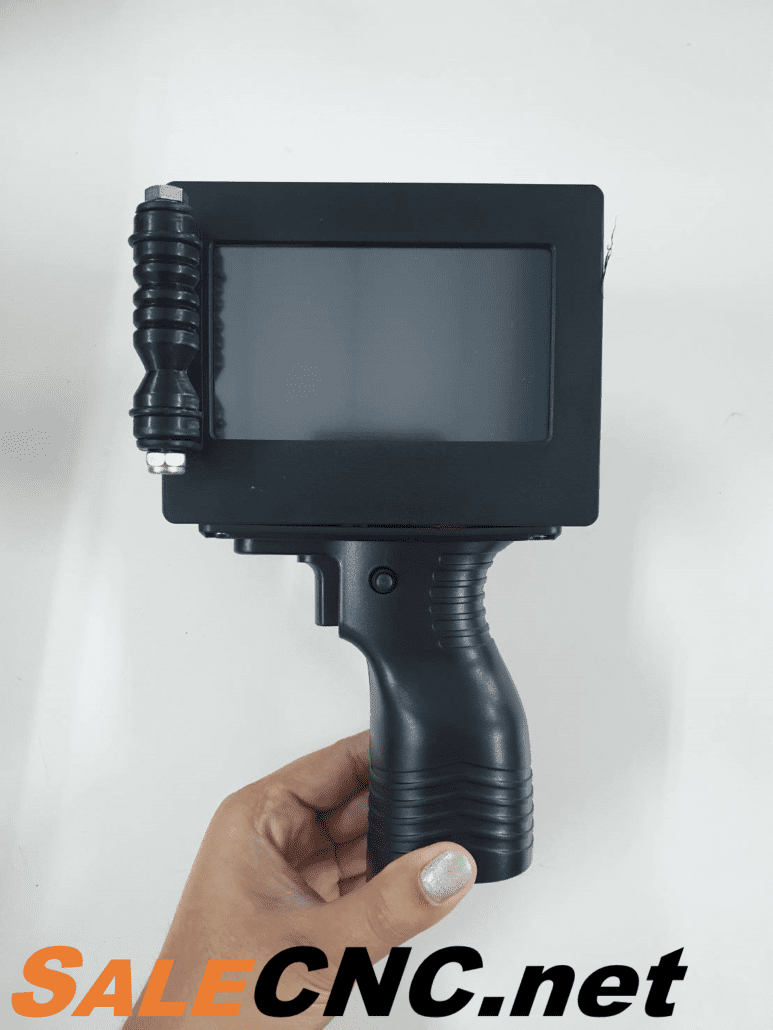
Compact size, weighing 522g, comfortable to hold.
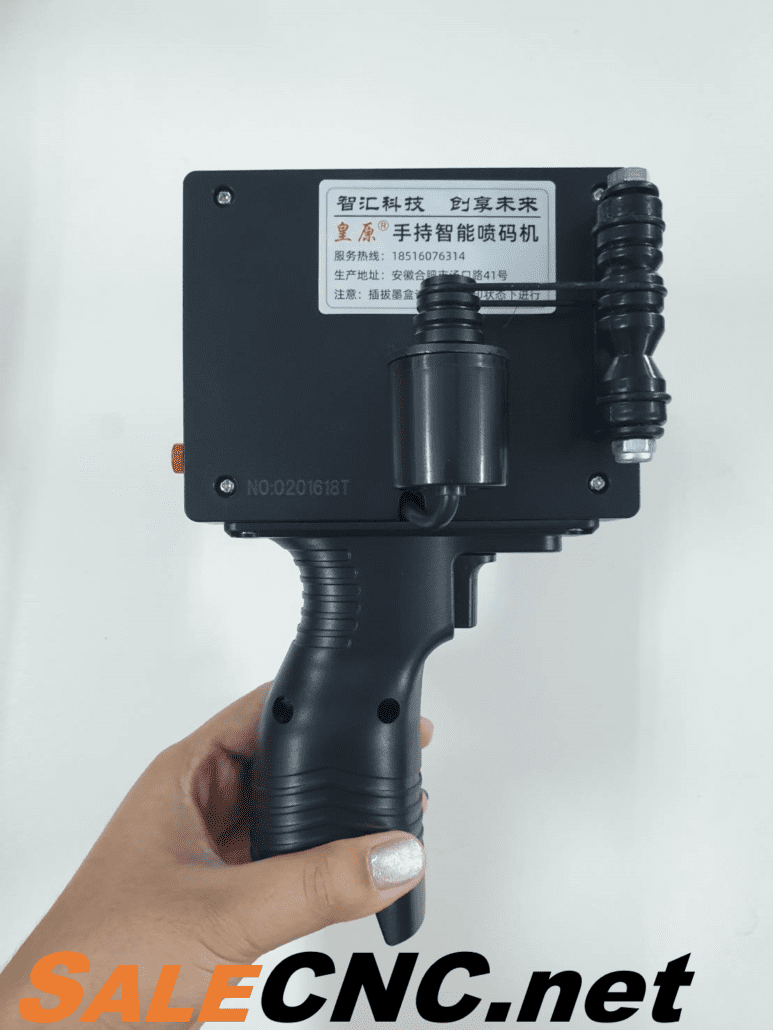
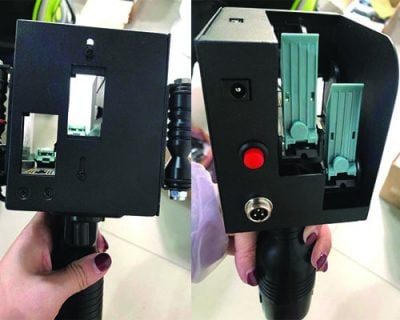
Rear view of the machine.
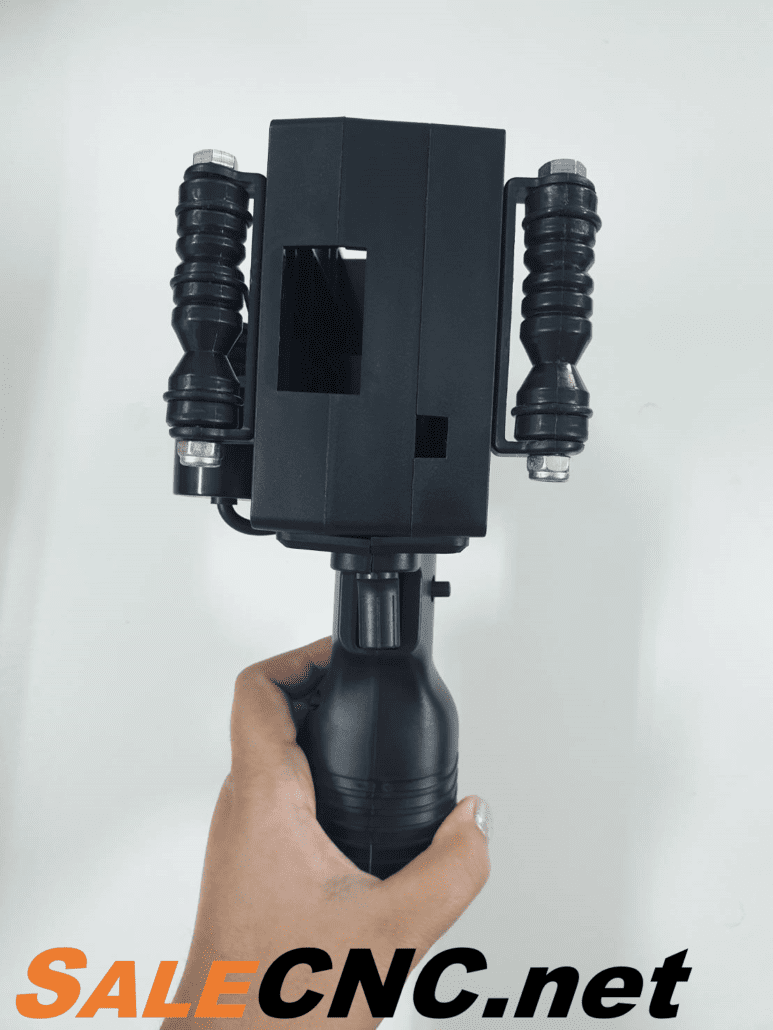
Print head side for material application.
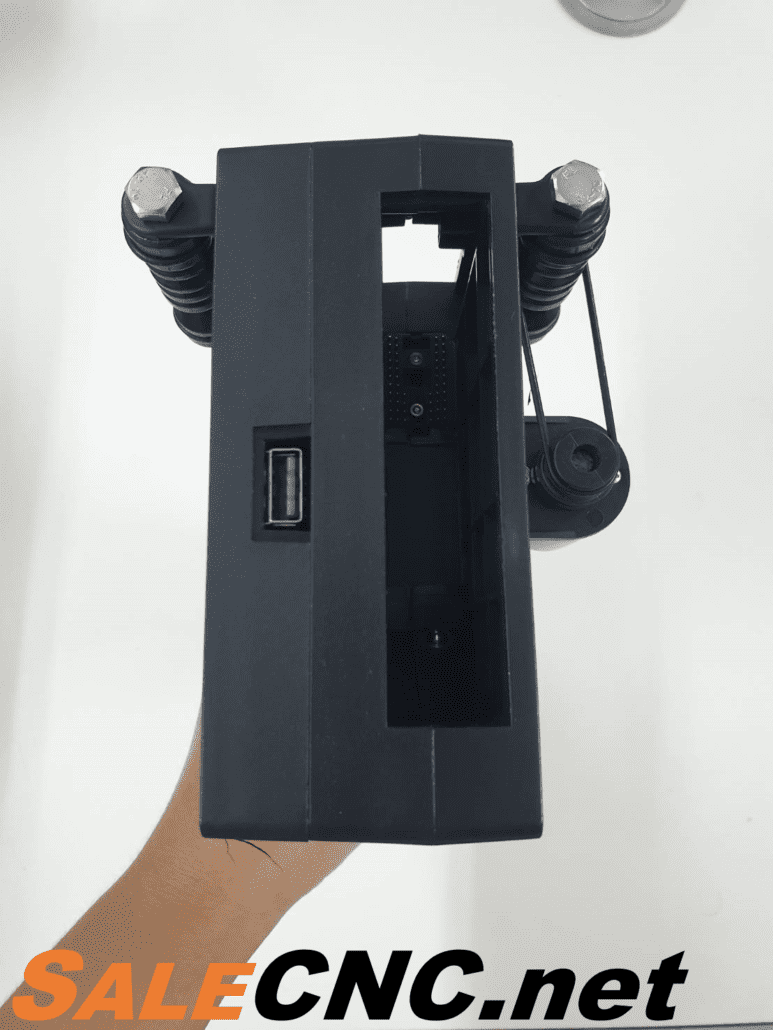
Top view showing ink cartridge placement.

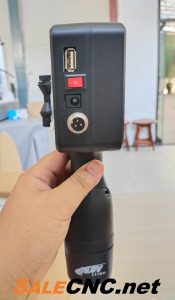
External connection ports (Interface).
Product Dimensions

Handheld Inkjet Printer (Date and Expiry Date Printer) 1 Set Includes:
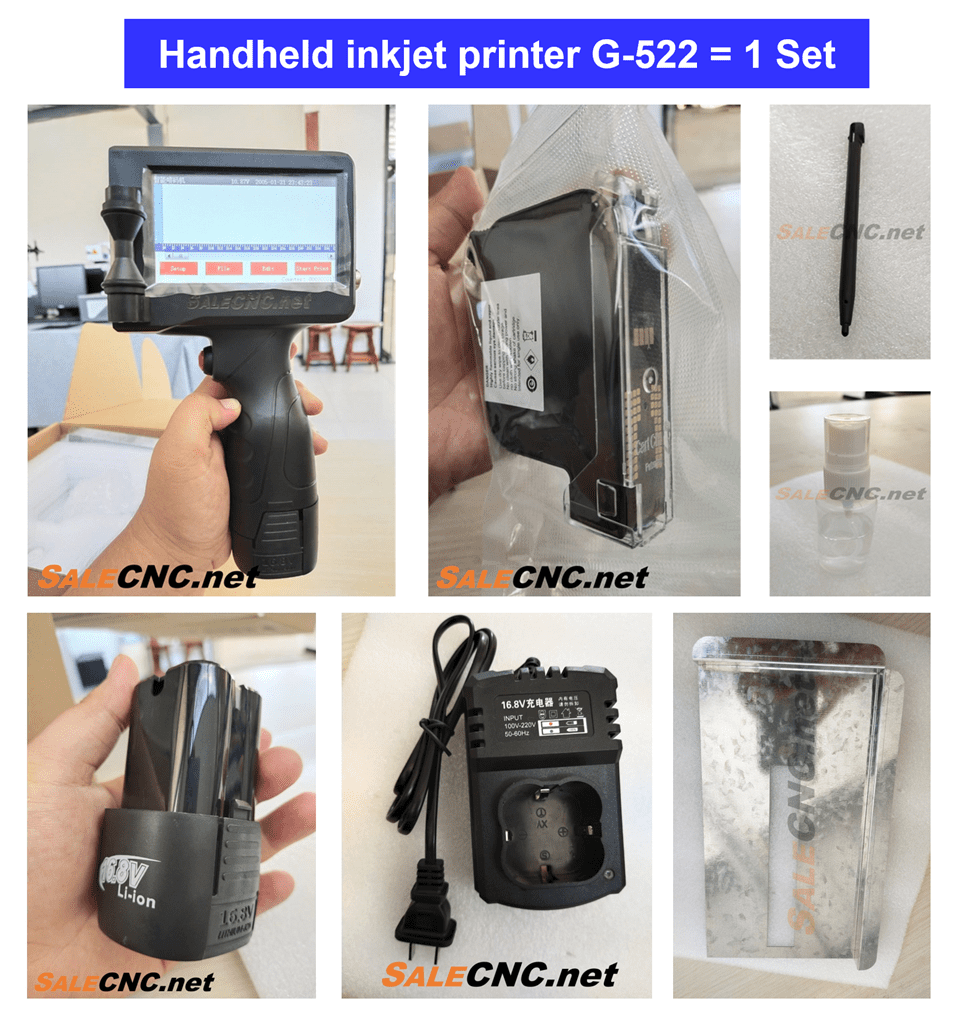
1. Handheld Inkjet Printer (Date and Expiry Date Printer)
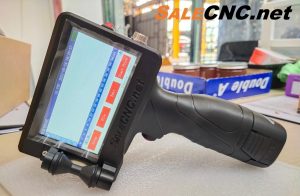
2. Black Ink Cartridge (1 unit)


3. Stylus Pen for Touchscreen.

4. Print Head Cleaning Spray.

5. Power Supply / Battery.
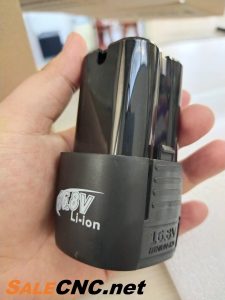

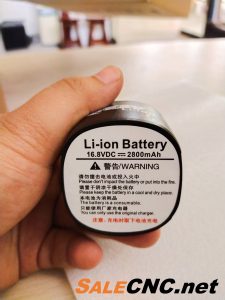
6. Battery Charger (AC 220V input).

7. Steel Plate / Alignment Block for printing distance control during operation.
Application
Optional Features for the Date and Expiry Date Printer
🟠 Conveyor + Sensor + Stand System
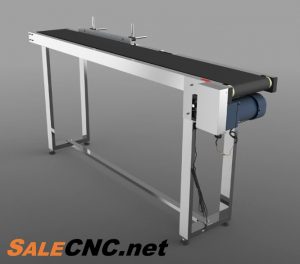


- Stainless Steel Conveyor: 1500mm length, 70cm height.
- Adjustable speed.
- Conveyor + Sensor + Stand System: Additional purchase price of ฿19,900.
🟠 Ink: Cartridge Ink
- Black ink, code 2588+(G) for Handheld Inkjet Printer G-552.
- Printable at 3mm character height, capable of printing 1,000,000 characters (per ink cartridge).
- Ink Cartridge Price: ฿3,900.
- For more details, click here.
Touchscreen Menu Interface

1. Screen Working Area: Features a 4.3-inch touchscreen and stylus for user interaction.
2. File Name: Displays the name of the currently active file.
3. Battery Status: Shows the remaining battery level.
4. Date and Time: Displays and allows setting of the current date, month, year, and time.
5. Counter: Indicates the number of print operations performed (e.g., Counter: 00000001 means 1 print operation).
6. Setup: General settings including Printer Setup, System Setup, and Counter Setup.
7. File: Manages files stored locally (Local Files) and imported from USB (U Disk file).
8. Edit: Add/delete various print elements including Text, Time, Image, Counter, Block, and Code.
9. Start Print: Initiates or pauses the printing process.
Setup Menu Sections
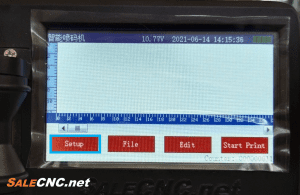
Includes:

– Printer Setup

– System Setup
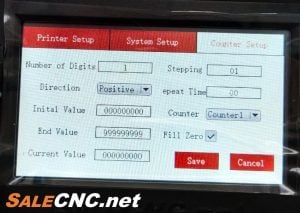
– Counter Setup
File Menu Section

Manages files stored locally (Local Files) and imported from USB (U Disk file).
– Import: Load files into the machine.
– Export: Save files from the machine.
Edit Menu Section

Add/delete various print elements, including:
1. Text

👉 Font: Select typeface.
👉 Align: Select text alignment.
👉 Size: Adjust text size.
👉 Space: Adjust text spacing.
👉 Edit: Add/modify text content (as shown below).

2. Date and Time

👉 Select the date/time format via the ‘Format’ option.
3. Image

👉 Select ‘Select’: Local Files for onboard storage and U Disk file for USB imported files.
4. Counter

👉 Select desired counter type and then select ‘Add’.
5. Block

👉 Select ‘Add’ to choose from various block templates.
6. Code
Code options include Barcode and QR code.

👉 To create a Barcode, select ‘type’ as ‘Bar code’, then select ‘Edit’ to input data (e.g., 1234).

👉 To create a QR code, select ‘type’ as ‘QR code’, then select ‘Edit’ to input data (e.g., www.salecnc.net).
Start Print Section

👉 Initiate/pause printing.
Basic Operation Guides
Language Change for Date and Expiry Date Printer (Handheld Inkjet Printer) G-552
Print Head Cleaning for Date and Expiry Date Printer (Troubleshooting Missing Lines)
Creating Text on the Date and Expiry Date Printer (Handheld Inkjet Printer) G-552
Creating Barcodes on the Date and Expiry Date Printer (Handheld Inkjet Printer) G-552
Creating QR Codes on the Date and Expiry Date Printer (Handheld Inkjet Printer) G-552
Designing Print Files for the Date and Expiry Date Printer (Handheld Inkjet Printer)
สนใจหรือติดต่อสอบถาม โทร082-972-9329 (จิมมี่)
083-256-5981 (โกมินทร์)
E-mail : [email protected]

 salecnc.net
 salecnc.net
 salecnc.net
 salecnc.net


